Intro
A portable hotspot sounds like a simple promise: put a SIM in a small box, and your devices magically behave as if you’re back on your home Wi‑Fi. The reality is usually messier—spotty bands, confusing setup screens, and battery life that collapses the moment you share a connection with more than one device.
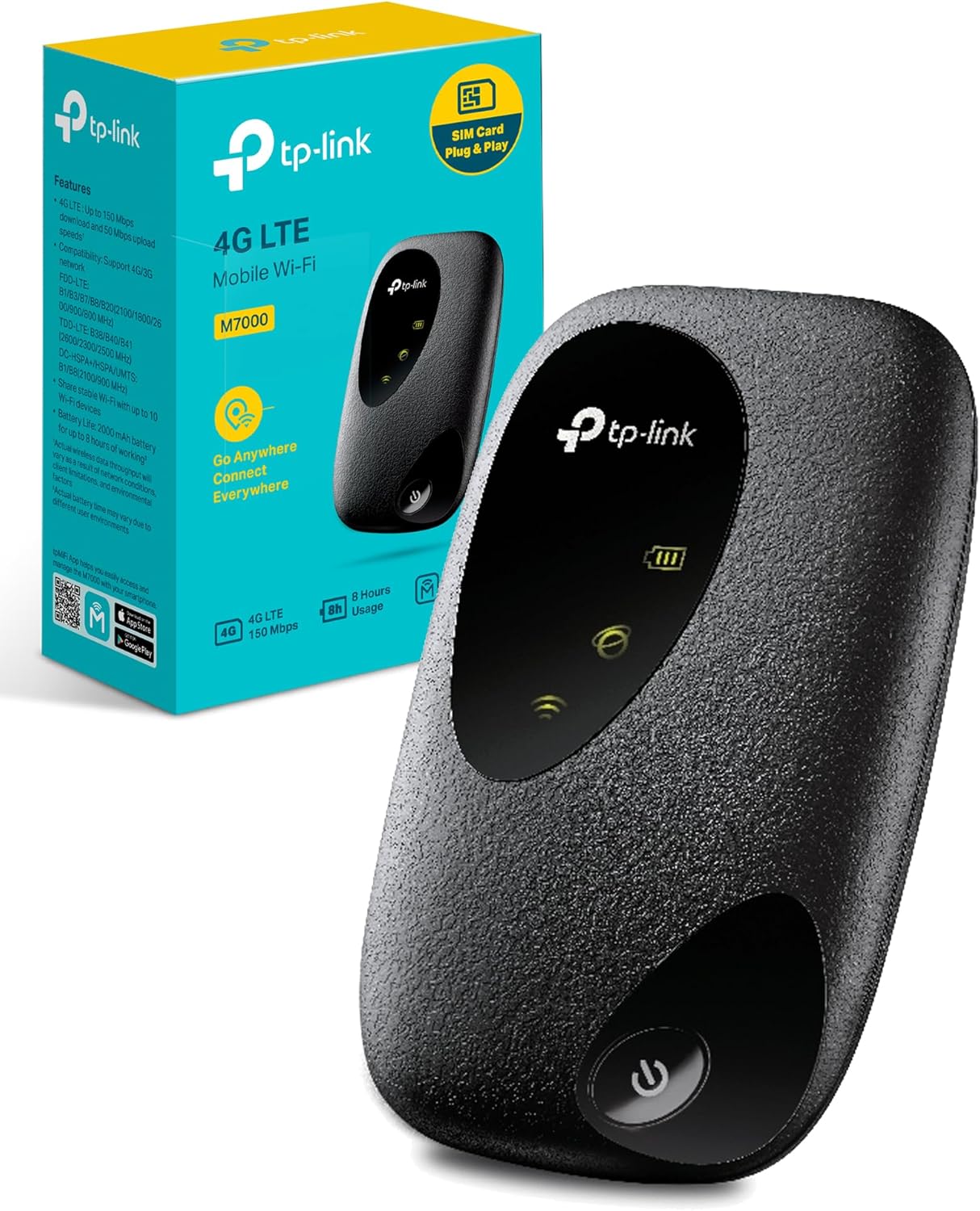
The TP-Link M7000 avoids most of that mess. It’s a compact 4G MiFi that’s meant to live in the side pocket of a backpack, the glovebox of a car, or a caravan drawer. If you travel with a laptop that needs a stable connection, or you’re tired of burning through phone battery by tethering, this is the sort of device that can quietly make your days smoother.
It’s not trying to be a “replace your home broadband” router. Think of it as a dependable middleman: one SIM, one hotspot, multiple devices. The M7000’s appeal is that it stays focused on the basics—unlocked usage, straightforward management, and an everyday form factor that doesn’t demand special treatment.


Ad — after intro placement.
What to Consider
**1) Your network bands matter more than the logo on the box.**
“Unlocked” is only half the story. The other half is whether the hotspot supports the LTE bands your carrier actually uses in the countries you visit. If your travel is mostly domestic, this is simpler—check your carrier’s common LTE bands and compare them to the device’s listed support. If you’re crossing borders often, verify band compatibility for each region. A hotspot can be technically unlocked and still feel useless if it can’t grab the right bands where you are.
**2) LTE Cat4 is fine—if your expectations are sane.**
The M7000 is an LTE Cat4-class hotspot. In practical terms, that’s usually enough for emails, maps, messaging, SD/HD streaming on one device, video calls in decent coverage, and general work tasks. It’s not the tool for squeezing every last megabit out of a congested network, and it won’t perform miracles in weak reception. If you routinely upload large files, run cloud sync all day, or need the best possible latency, a more advanced category device (and often a better antenna setup) is where you’d look.
**3) Battery life is a real-world variable, not a spec-sheet certainty.**
Portable hotspots get quoted for long runtimes, but how you use it changes everything. One phone checking messages is light work. A laptop on a long call plus a tablet streaming and a second phone scrolling is different. The M7000 is best treated like a phone: charge it overnight, top it up in the car, and keep a small power bank around if you’re relying on it for a full day out.
**4) App management is either a blessing or a nuisance.**
TP-Link’s approach leans into simple app-based control. That’s good if you want quick checks—who’s connected, how much data has been used, basic network settings—without diving into router-style menus. It’s less exciting if you’re a power user who expects deep configuration options. For many travelers, “easy to set up and easy to see what’s happening” beats “endless settings pages.”
**5) Caravan and road-trip use: placement is everything.**
In a caravan or camper, a hotspot can go from solid to frustrating just by sitting in the wrong spot. Keep it near a window, away from metal cabinets, and not buried under bags. If you’re parked in a marginal coverage area, moving the unit a meter can change the connection quality more than any setting in the app.
**6) Plan for SIM size and data rules before you land.**
Make sure the SIM you plan to use matches the device’s SIM format, and double-check whether your carrier requires APN settings. Some SIMs work instantly; others need a quick APN tweak. Also pay attention to hotspot/tethering policies—some plans limit hotspot usage even if the data bucket looks generous.
Shortlist (3-5 bullets)
- **Choose the TP-Link M7000 if** you want a small, unlocked 4G hotspot for travel, basic work, and keeping multiple devices connected without draining your phone.
- **Skip it if** you need faster-than-Cat4 performance, advanced router controls, or you’re frequently in weak-signal areas where you’ll want higher-end radio features or external antenna options.
- **Best use case:** weekend trips, international travel with local SIMs, caravans, hotel Wi‑Fi backups, or remote work “just in case” connectivity.
- **Before buying:** confirm LTE band support for your main destinations and check your carrier’s hotspot policy to avoid surprise restrictions.
Ad — mid content placement.
Affiliate recommendations
Editorial picks with availability links.
TP-Link M7000: A Pocket 4G Hotspot That’s Built for Real Trips
Short editorial note placeholder.
Verdict
The TP-Link M7000 gets the core idea of a travel hotspot right: it’s small, unlocked, and designed to be managed without a networking degree. For the traveler who wants predictable connectivity for a phone, tablet, and laptop—especially with a local SIM on the road—it’s a practical little device that behaves like a tool, not a project.
Its limitations are the honest kind. LTE Cat4 is not cutting-edge, and that shows when you’re in crowded areas or trying to push heavy workloads through a mobile network. But in the situations most people actually face—navigating, coordinating plans, sending files, working from a rental, keeping kids’ devices online in a caravan—the M7000’s biggest strength is that it stays out of your way.
If you’re shopping for a portable hotspot, don’t get distracted by the idea of “maximum speeds.” Focus on coverage compatibility, your typical workload, and whether you want a simple, app-managed box you can toss in a bag. For that brief, the M7000 fits neatly.
Ad — before related content.
